Gotcha.now

Everything it does

Built for the people who take dozens of screenshots a day: support, training, testing and documentation.

Capture

  • Region or window in one key, with a magnifier for pixel-exact edges.
  • Active window, full screen, all monitors and repeat last region.
  • Timed capture for menus and tooltips that close when you click.
  • Scrolling capture of long pages, documents and chats, even with a video playing on the page or a sidebar that stays in place. Ctrl+Alt+Shift+S grabs the whole page in front of you with nothing to select; a frame and a short countdown show exactly what will scroll.
  • GIF recording with the pointer, up to two minutes.
  • Step capture: every click becomes a numbered step; export the guide as PDF or a web page.
  • New from clipboard for pictures and image files you already copied.
  • Sharp on every screen, even across monitors with different scaling.
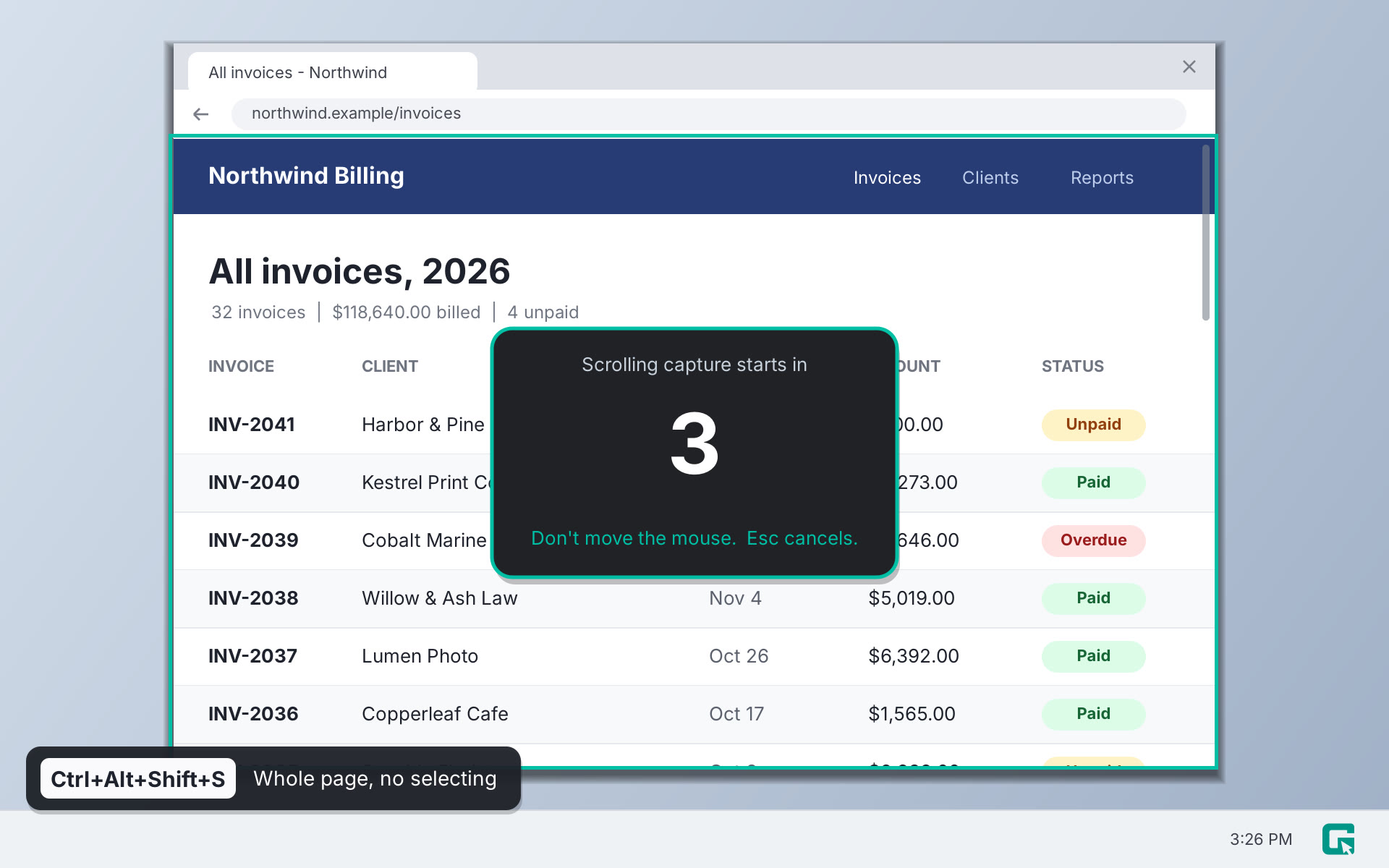
A long web page about to be captured whole: a teal frame around the page and a 3, 2, 1 countdown

Mark up

  • Arrows (standard, double-ended, dashed), lines, boxes, ellipses, pen and highlighter.
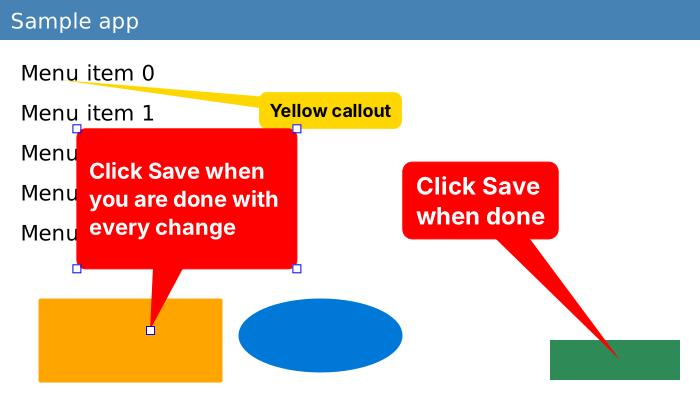
  • Text and callouts that resize by their corners, with words that wrap to fit.
  • Numbered steps that count themselves.
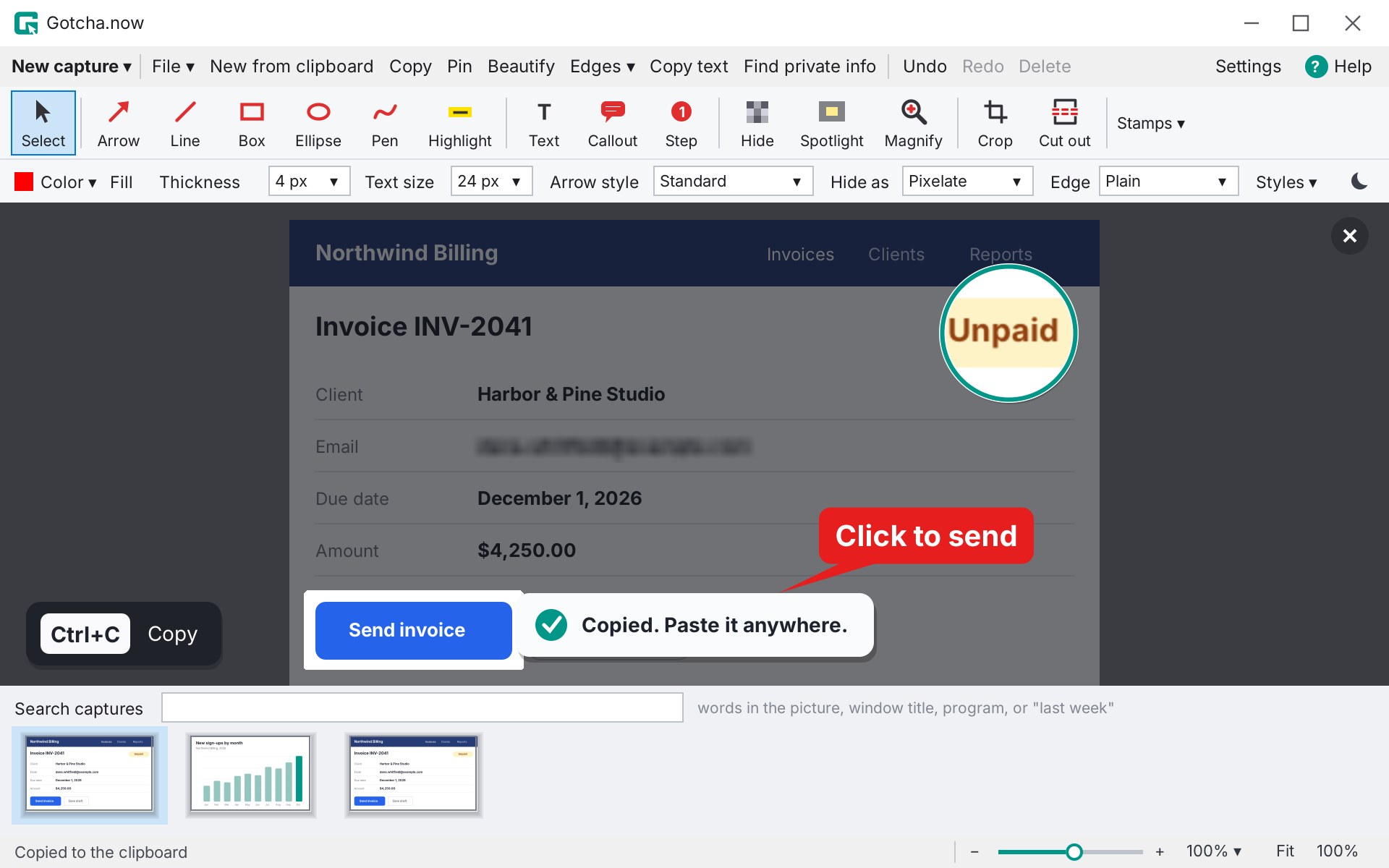
  • Spotlight dims everything except what matters; Magnify shows a detail in a round loupe.
  • 48 stamps and white-outline or shadow edges for anything you draw.
  • Styles remember your house look, like "thick blue arrow", for one-click reuse.
  • One-key tools, right-click menus and full undo.
A callout resized to a narrow, tall bubble with wrapped text

Finish

  • Crop by dragging, or fine-tune with handles. On a tall capture, hold a handle at the edge of the window and the picture scrolls with you.
  • Cut out an ad or a block from the middle of a long page: drag over it and the rest joins up, annotations included.
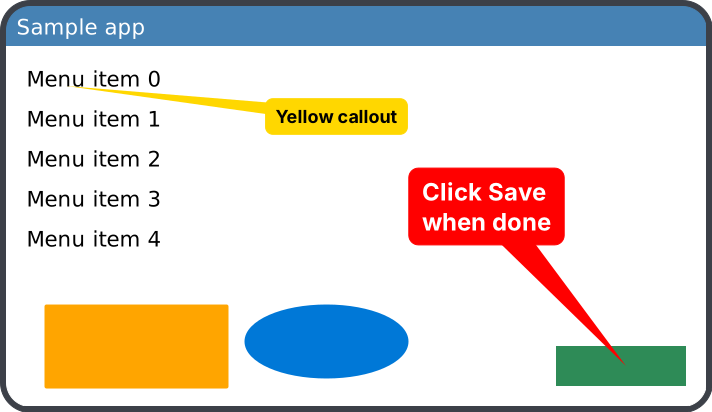
  • Border in any colour, square or rounded; fade edges to white or transparent.
  • Torn edges for showing part of a long page; add space for notes.
  • Beautify: background, padding, rounded corners and shadow for slides and web pages.
  • Zoom with a slider, presets, fit and 100%.
A capture with a dark rounded border

Protect, find, share

  • Find private info lists emails, keys, card numbers, phone numbers, passwords and faces to hide in one click.
  • Hide by pixelating, blurring or a solid block. Hidden areas are permanent in every copy.
  • Search every capture by the words in it, the window title or the program: "invoice last week".
  • Copy text out of any picture.
  • Everything is saved and copied at once; drag the floating thumbnail into an email or chat.
  • Pin a capture above all your windows as a reference.
  • Save as PNG, JPG, BMP, GIF or PDF, or as a .gotcha file that keeps every annotation editable, even on another PC.
  • Print with Ctrl+P: wide pictures print sideways, and a long scrolling capture prints across pages without cutting through a line of text.
  • Import old screenshots, or drag them onto the window, so they join your searchable library.
An annotated invoice with a hidden email, an arrow, a callout and a magnifier

Small, private and yours

  • 406 KBOne file. Nothing to install or update in the background.
  • OfflineNo network code at all. Your captures are files in a folder you choose.
  • Light or darkFollows Windows, or switch in one click.
  • Windows 10 and 11Uses the .NET Framework already built in.